Monitor glare from a window: test the angle before adding a screen filter

Updated: Nov 17
A bright patch on your monitor can follow the window through the day. Try understanding that relationship before adding another product to the screen.
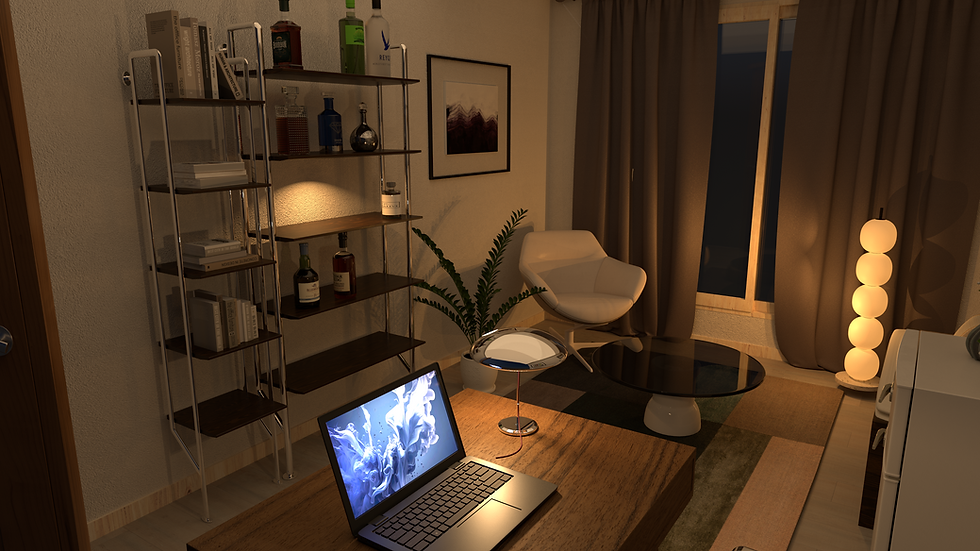
Allanberry Rooms design visualisation — Calm Corner. A working surface and a place to pause share this small setting.
See this design in our project portfolio.
A side-on position gives you a different relationship to daylight and may leave the view available when you look away from work.
Look for what you see
Open a dark document and sit as you usually do. Look for the outline of the window in the screen.
Then open a white page and notice whether a bright window immediately behind the screen makes the page harder to see.
The first situation involves reflection. In the second, the surrounding view competes with the display.
The OSHA workstation guidance recommends placing the screen at right angles to a bright window to address glare.
Illustrative desk layouts. Test the screen with the window behind you and then with the window at one side.
Run the same task twice
Try the current position and a temporary side-on position at the time the glare usually appears. Keep screen brightness and blind settings the same.
Read a line of small type and switch to a dark video-call preview.
If the side-on position improves the screen view but leaves your paper in shadow, test a separately aimed lamp for writing. See whether the lamp is reflected when the screen is dark.
Keep the seat useful beyond the desk
Allanberry Rooms’ two-room officetel proposal separates uses within a compact home. Bring the same approach to a shared room by checking the chair, door and everyday path in both desk positions.
Share the window direction, a desk photo at the troublesome hour and the task you want to do through our room design service.
That gives us a starting point for comparing furniture positions and daylight control.


Comments